
Approving means recording what the document said when you said yes.
An email approval doesn’t say which version the approver was looking at. Here the content is frozen before signing, the server sets the time and, if someone edits afterward, the approval is marked as superseded.

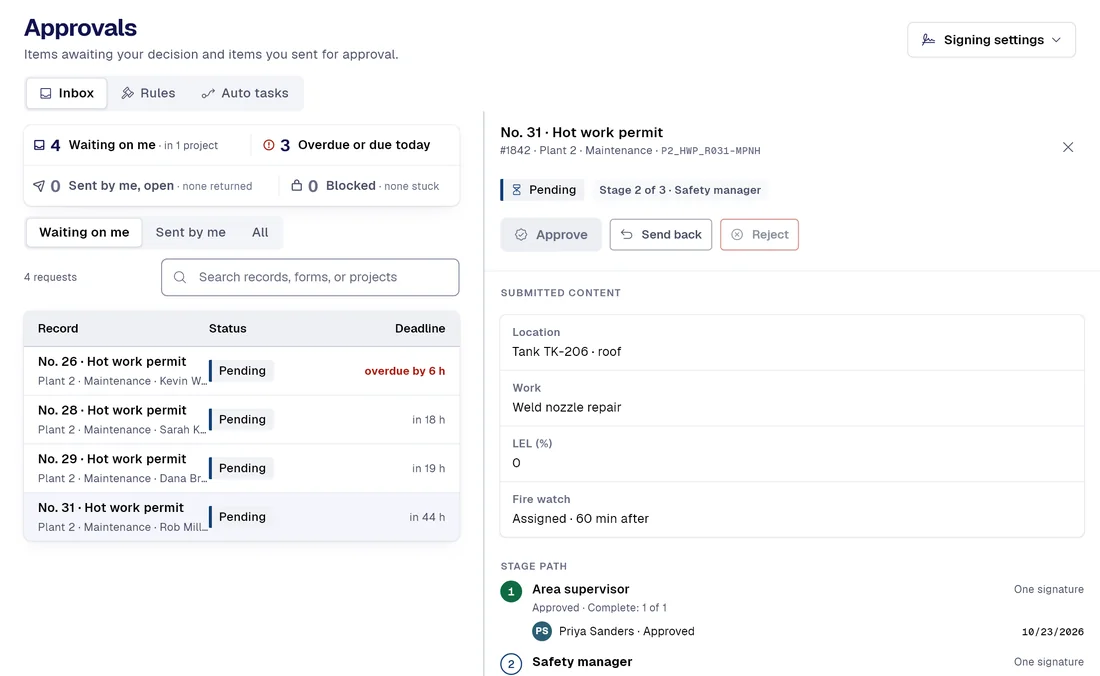
Today / With PAIR
Five things that change with the first request
| Today |  |
|---|---|
| The author emails the document and keeps editing it while it’s under review. | Sending it for approval locks the recordFrom the moment it’s sealed (the act of sending it for approval), the record can’t be edited or deleted while the request is open. A database rule enforces it, not the screen. |
| The approver replies “OK, approved” by email, without saying which version they saw or when. | The signature is taken on server timeThe event with the server time, the IP address the server observed and the consent text that was accepted, with its version and hash. The phone’s clock is stored separately and labeled as reference only. |
| The reviewer sends the document back by email, without recording which stage or why. | Sending it back means saying which stage and whyThe comment, the stage it returns to and the list of signatures it voids, inside the signed event itself. Everyone who lost a signature gets a notice that doesn’t wait for the digest. |
| Nobody notices: the document is edited after approval and the signature still seems valid. | Editing an approved record doesn’t stretch the signatureThe record moves to “Approved · content modified”, the change enters the trail with the fields that changed, and the signers are notified. The earlier signature still covers what was signed, not the new content. |
| Anyone in doubt searches the approver’s mailbox, which the approver can empty. | The check isn’t done by the server that signedThe seal and the chain are recomputed in the viewer’s browser by a second implementation that doesn’t call the server function that signed, so it doesn’t take the server’s word for it. It reports intact, broken (with the link number) or could not be verified here. |
Smart captureProfessional
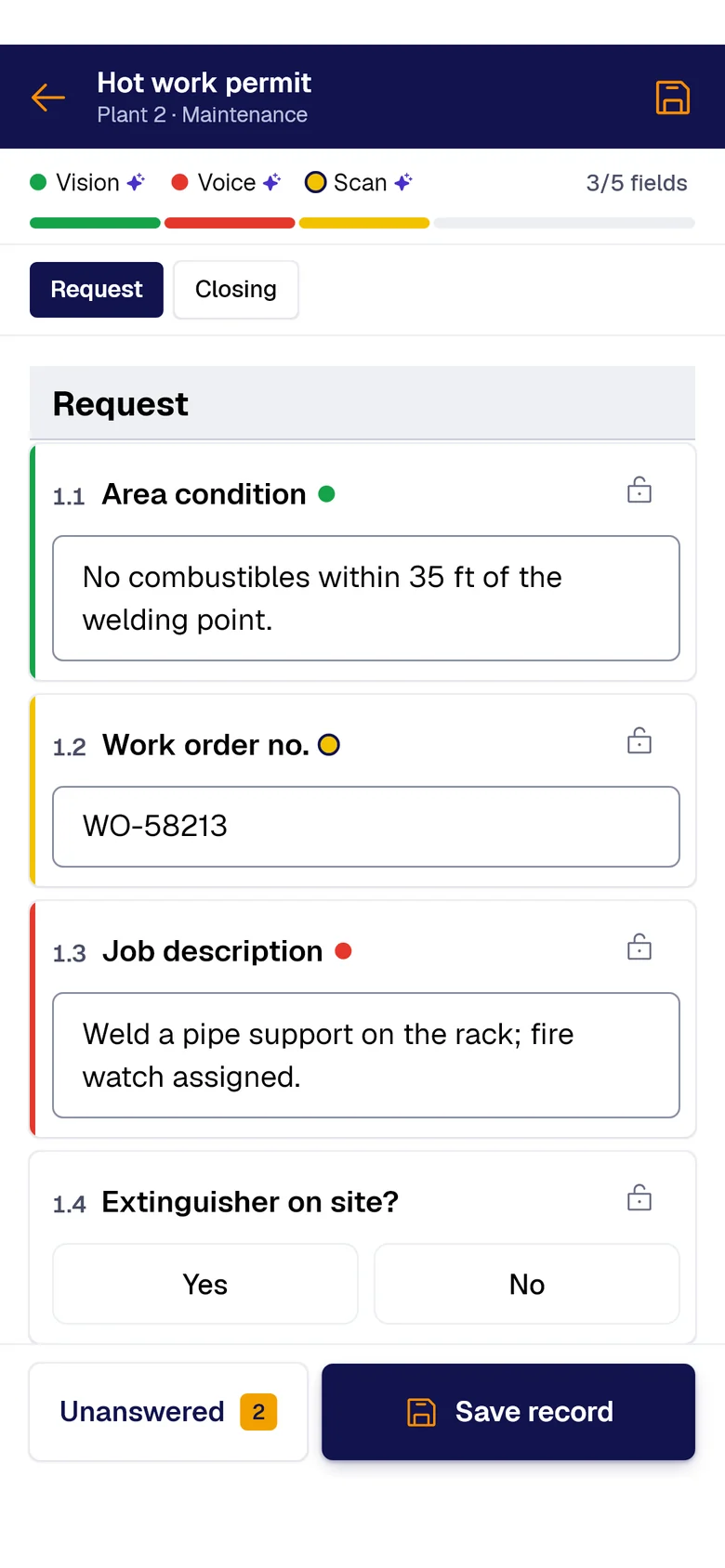
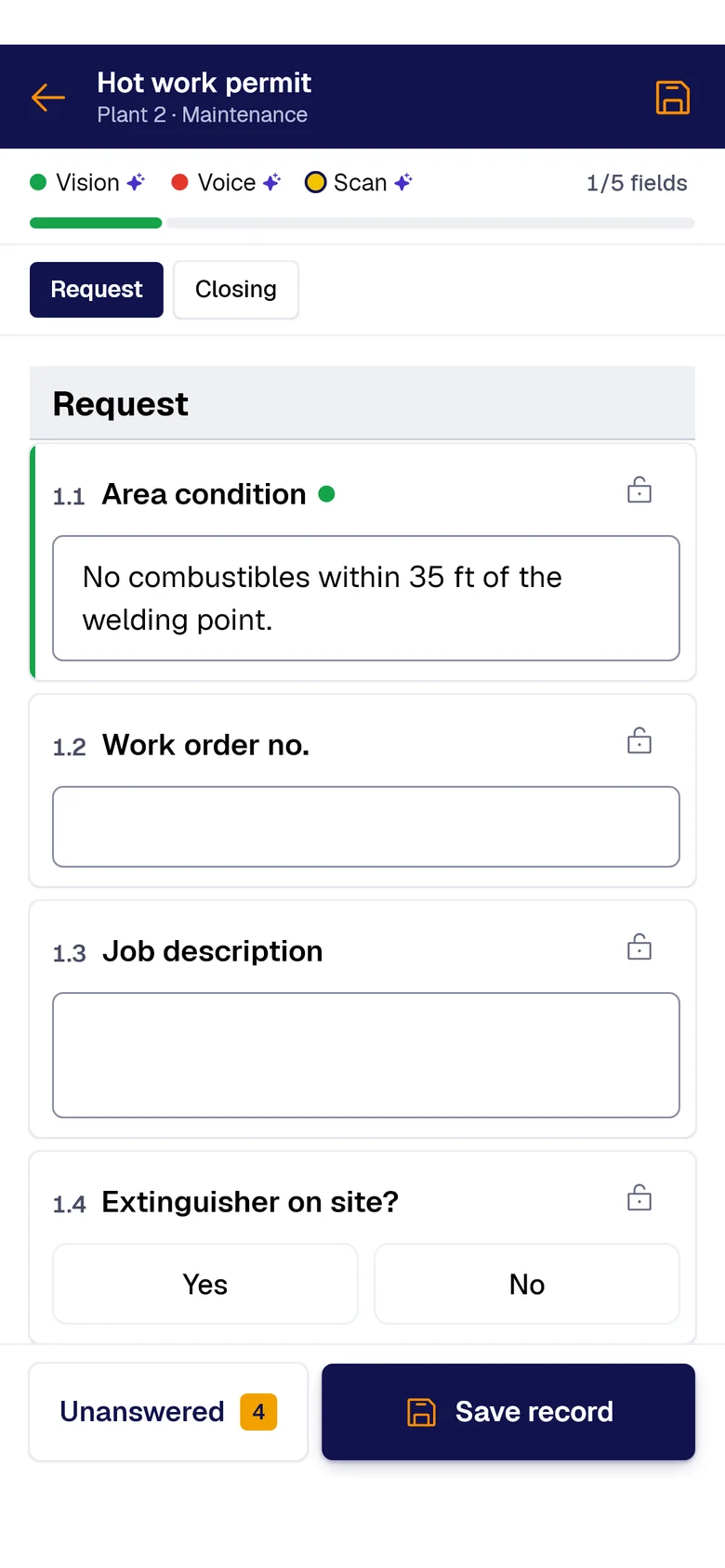
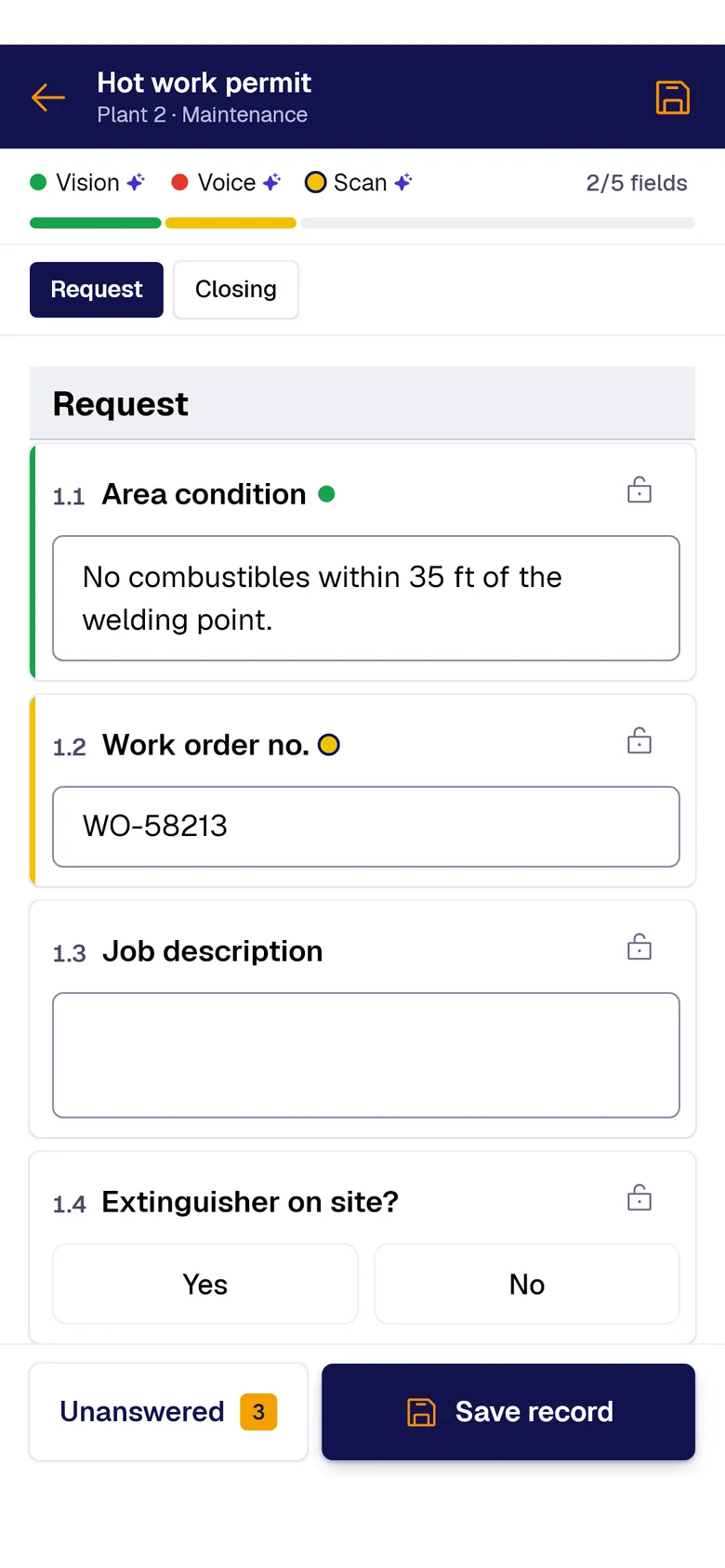
Your forms fill themselves with AI.
A photo, the paper sheet or your voice: AI fills each field and marks where it came from. You just review and save.
- PAIR VisionAI Take a photo and AI fills the fields with what it sees.
- PAIR ScanAI Scan the paper sheet and AI moves its data into the form.
- PAIR VoiceAI Speak and AI transcribes and fills the fields.
What happens when the sign-off lives in an email
For the step where someone signs off on someone else’s work, and that sign-off has to hold up in a dispute years later. What gets approved comes from another use case: the inspection round or the engineering firm’s report.
“OK, approved” arrives by email and doesn’t say which version the sender was looking at. Months later, that’s exactly the question.
The document keeps getting edited while three people review it. The first signature covers a version the third reviewer never saw.
When someone asks who authorized this, the answer depends on a mailbox the approver can empty.
What gets recorded, piece by piece
-
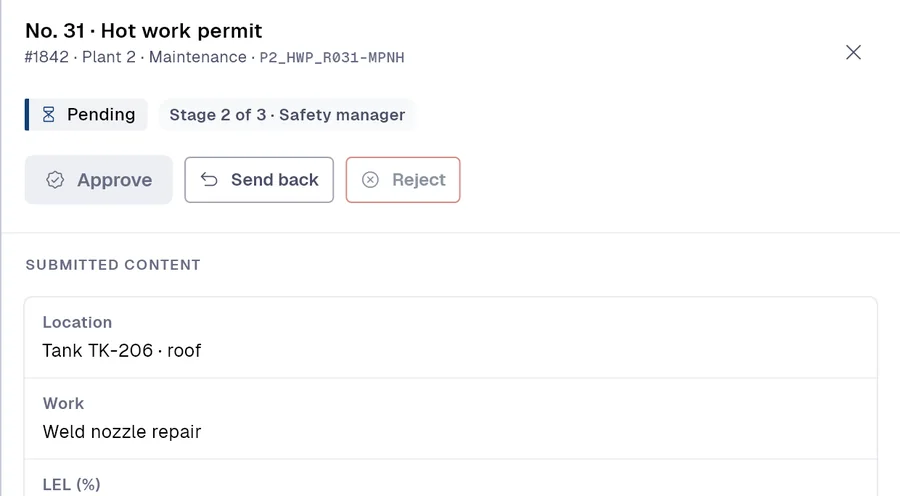 Form 01
Approval request with its stages, approvers and deadline
-
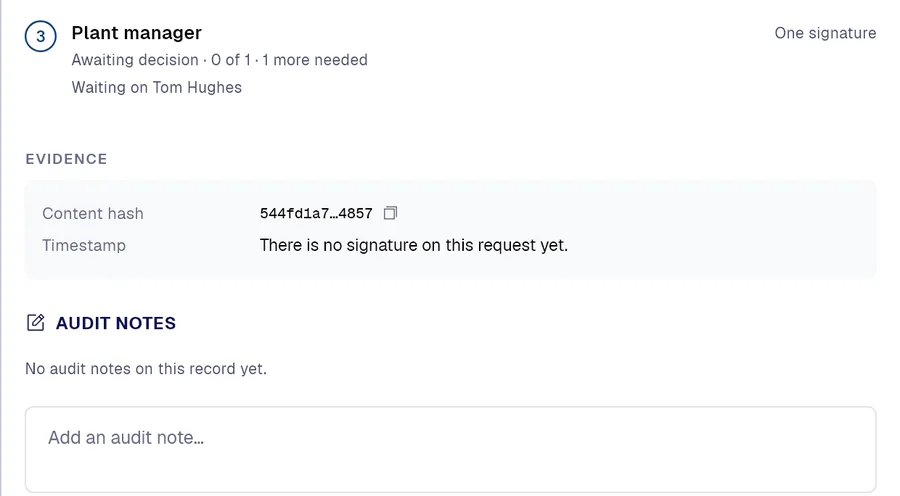 Form 02
Content seal, with the hash of the record and of the template it was filled out against
-
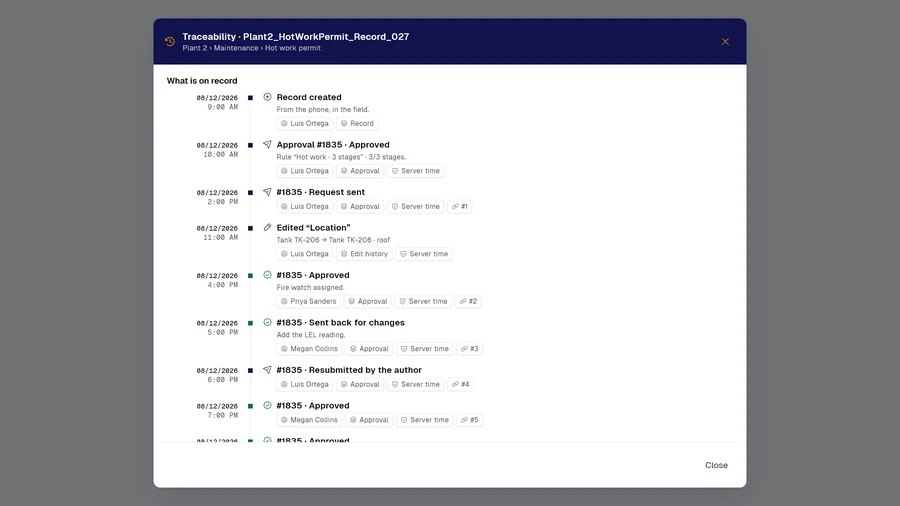 Form 03
Event trail: seal, approval, rejection, return and content modified
And many more, built around your operation. Ask us.

Demo
Bring us something you approve by email today
A record that goes through two or three sign-offs today: in thirty minutes you’ll see it with its stages, locked before signing and with the seal time in view.
Would you rather look at the plans first? See pricing.