
Capture · Video walkthroughs
Walk the plant. The records write themselves.
The inspector walks the site with the phone on the hard hat and speaks up when something matters. PAIR watches the video and listens to the voice in segments, spots what up to five forms are looking for at once, and drafts each record with its photo, location and floor, ready for review.
Included from Advanced · from $47 per seat/month, billed annually · See plans →
Encrypted data · Never used to train AI models · Trust Center →
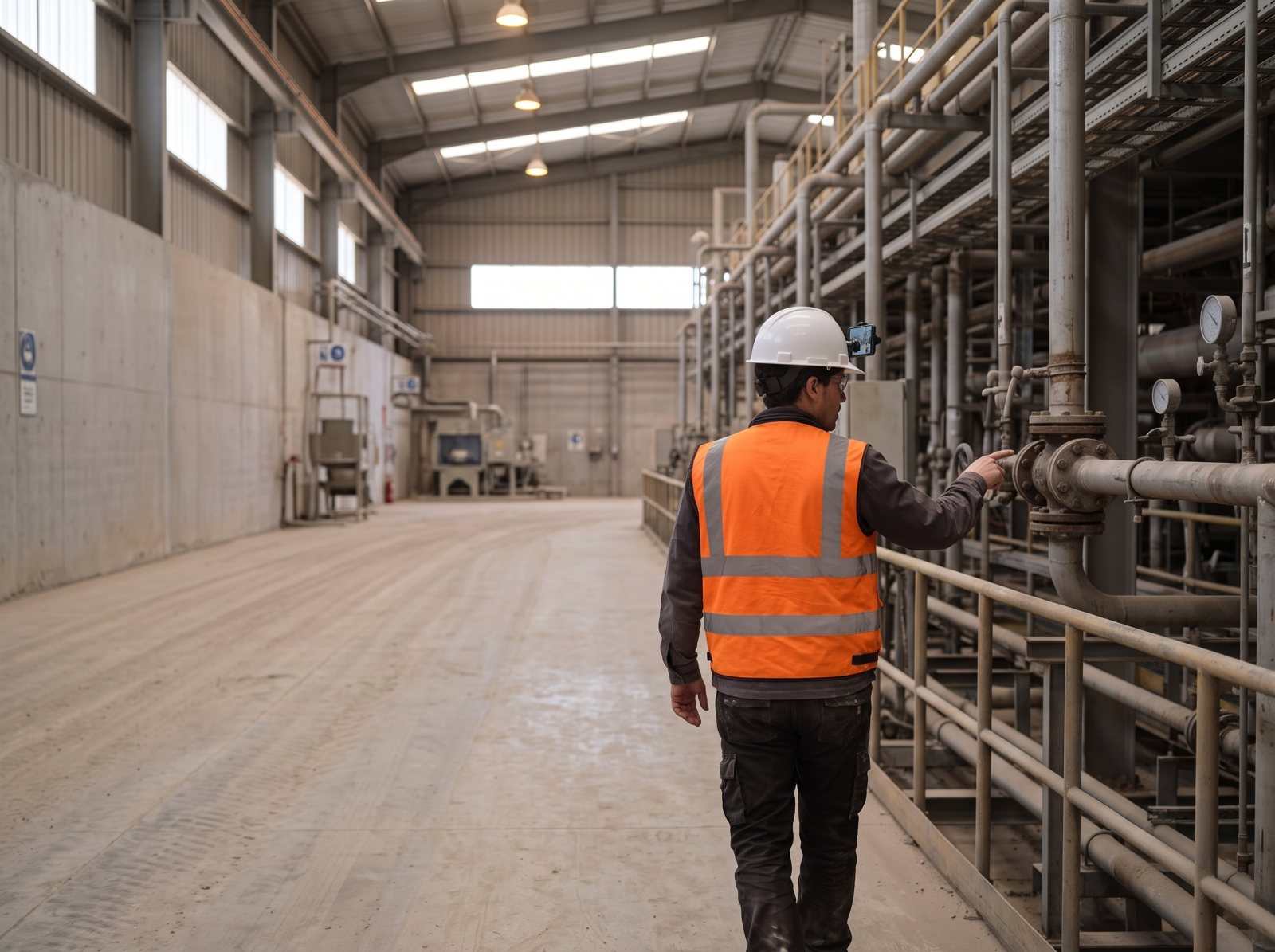
One walk, start to finish
- 01 · Before heading out
Pick the project, one to five forms and what to look for today: every extinguisher, every leak, just count, or fill one field.
- 02 · Walk and talk
The phone records on the hard hat, on a tripod or in hand. Your voice guides the AI: “watch the green tarp.” “Capture” marks a key moment and “end session” wraps up.
- 03 · AI drafts the records
Segment by segment, PAIR detects what each form asks for and picks the best frame, faces blurred, with heading, GPS and floor.
- 04 · Review and save
Everything lands in “To review”: nothing saves on its own. Duplicates are offered for merging, and you get what was counted and what was missing.
In the app
What it looks like, for real.
The PAIR screen as your team uses it, with what the AI did called out.
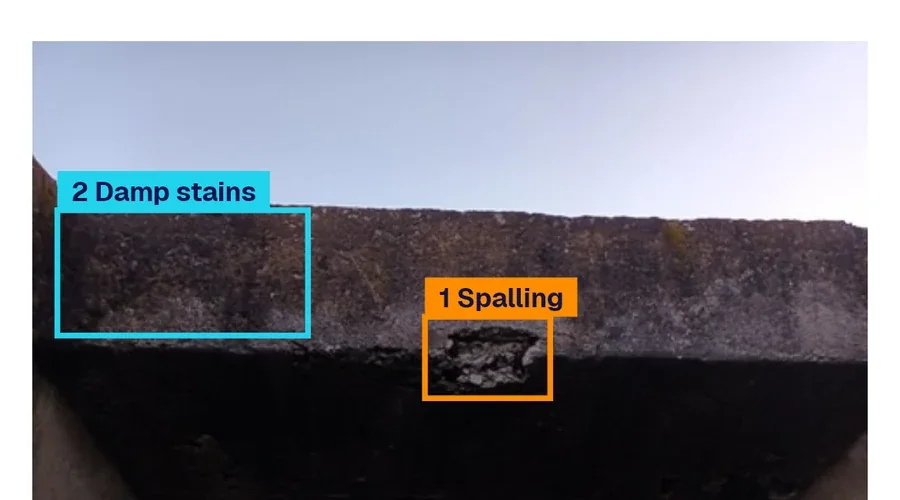
- AI boxed the spalling
- Two damp stains, counted
- Best frame picked from the video
◆ key moment marked by voice · ■ extinguisher counted · □ extinguisher missing Try this with your data →
AI drafts. Your team approves. Every value shows its source.See it on your own form → Book a demo
Built for real plant walks
- Nothing saved without review
- Works offline
- Duplicates merged
- With AI
Up to five forms at once
One walkthrough fills the extinguisher checklist, the housekeeping audit and the leak log.
-
What to look for, per form
One record each, fill a field, just count or skip; with a mask or box on the photo and numbering.
-
No duplicates
Three layers: within a segment, across segments and a final pass. “Chair 3, seen twice” merges with one tap.
-
Knows which floor
From your voice (“floor 2”), the phone barometer or by reading the signs on site.
-
No signal needed
The recording stays on the phone and is processed when coverage returns.
-
Drone and action-cam videoComing soon
Upload video from the web, a drone or a GoPro.
At a glance
| Devices | Android and iOS phone; hard-hat mount, tripod or hand |
|---|---|
| Forms per walk | Up to 5 |
| Walk length | Up to 30 min (Advanced), 120 min (Enterprise) |
| Works offline | Yes, processed when signal returns |
| Review | Every record lands in “To review” |
| Faces | Blurred in the chosen frame |
- 5forms filled in a single walk
- 13 of 16extinguisher fields read from one frame in about 25 s
PAIR estimate. We’ll measure it on your own form in the demo.
Before you ask
Does it work without signal?
Yes. The recording stays on the phone and is processed when coverage returns. Nothing is lost if the walk ends underground.
How much does a walkthrough cost in credits?
It depends on length and frame rate: a 30-minute walk at the Advanced setting uses roughly 114 PAIR credits. The demo shows the exact figure for your own walk.
Can it create records nobody checks?
No. Every record PAIR proposes stays in “To review” until a person approves it, and each value shows the frame and the words it came from. Book a demo to see the review screen.
Demo
A walkthrough with your real form
Bring today’s checklist and in the demo we walk an area with it: what PAIR drafts, how review works and what it costs in credits.
Would you rather look at the plans first? See pricing.
- 1We reply to set a time
- 2A 30-minute call using one of your forms
- 3You walk away with that form running in PAIR
No credit card. Nothing to install. Prefer email? sales@pairapp.ai